
Logo
Schlage Encode Plus Smart WiFi Deadbolt Lock, Tap to Unlock, Matte Black
Tools & Home Improvement ★★★★★

Schlage Encode Plus Smart WiFi Deadbolt Lock, Tap to Unlock, Matte Black

$285.21 8% off
List price: $308.36
Buy On Amazon
  • ANYWHERE ACCESS: With built-in WiFi compatibility, you can easily and securely connect your Schlage Encode Plus lock to your home WiFi network to control and monitor your home from anywhere with the Schlage Home app
  • PEACE OF MIND: Lock and unlock from anywhere, manage up to 100 access codes, view lock history, receive customizable notifications and easily manage multiple locks at once - all when paired to the Schlage Home app and connected to a secure WiFi network
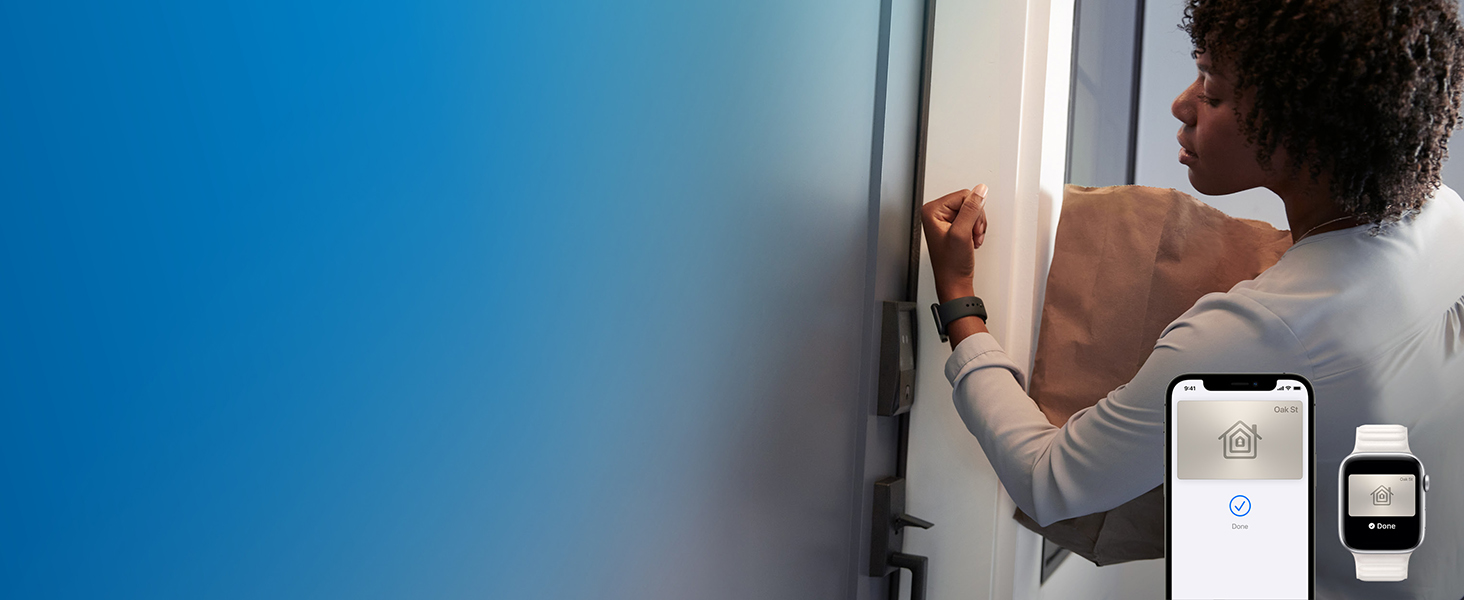
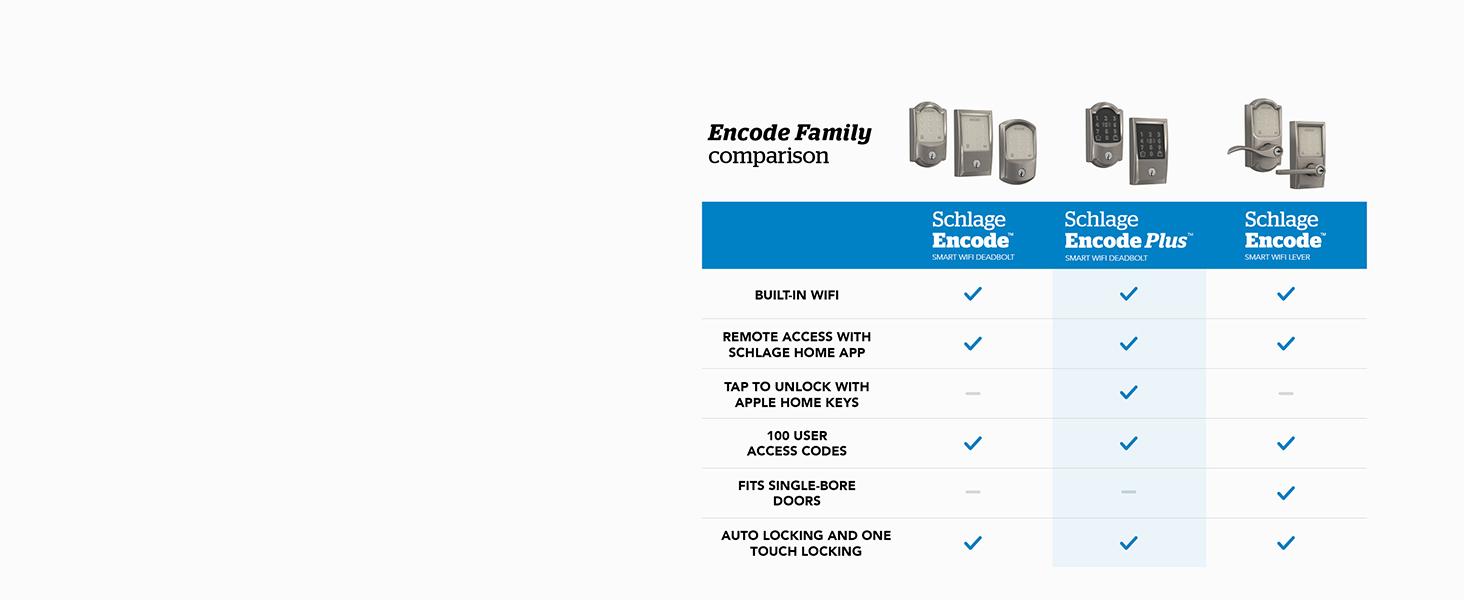
  • TAP TO UNLOCK: Works with Apple HomeKit and Apple home keys; with home keys you can simply tap to lock or unlock using your iPhone or Apple Watch for easy and secure access to your home
  • VOICE CONTROL: Works with Amazon Alexa and Google Assistant for optional, hands-free convenience when paired with the Schlage Home app and a voice enabled device
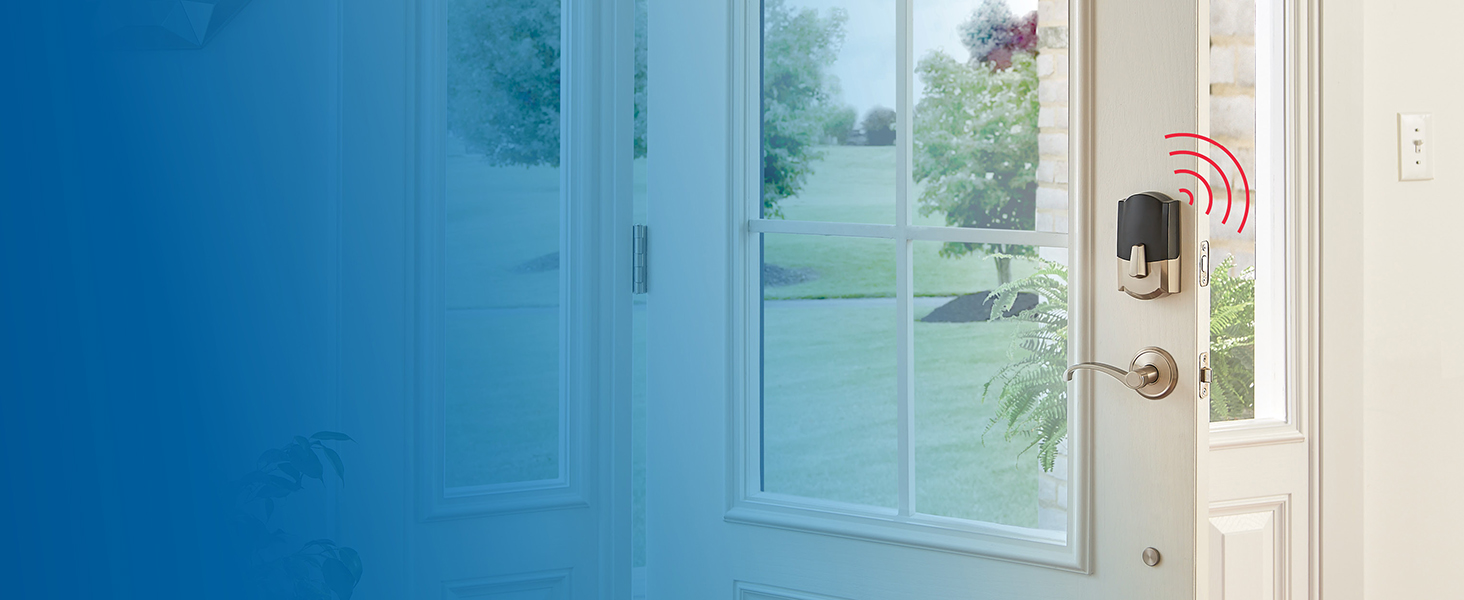
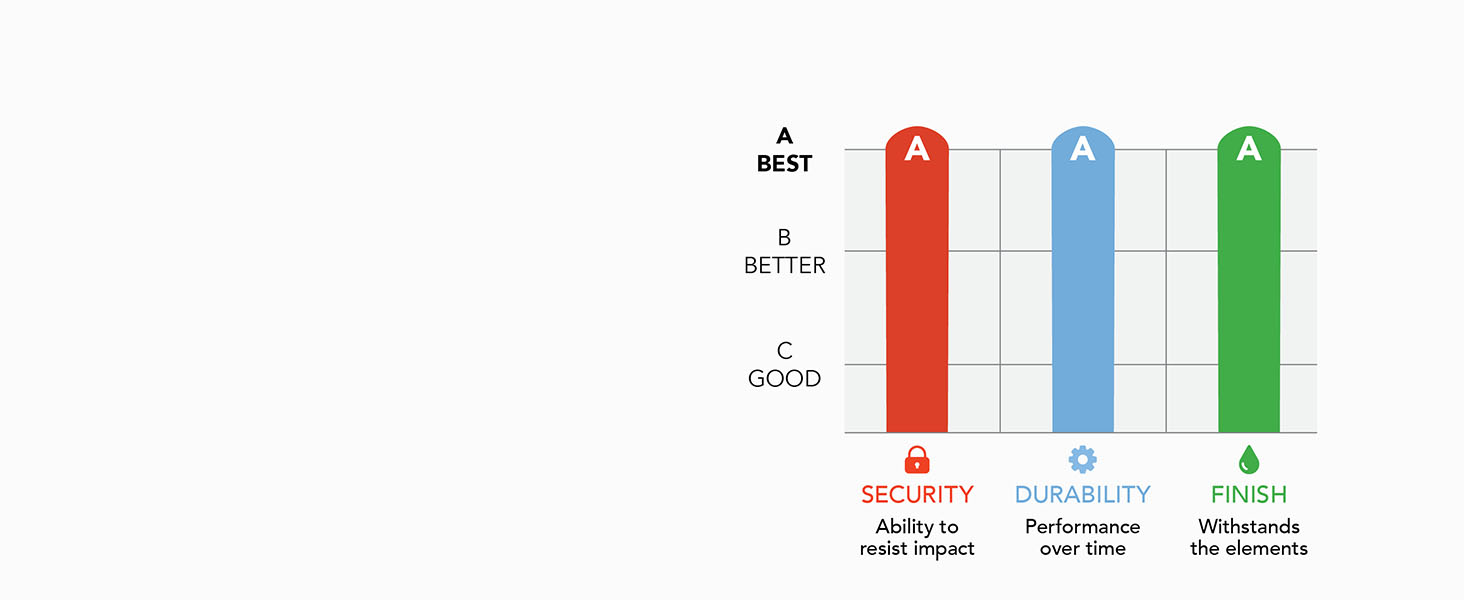
  • ADVANCED SECURITY: Secure, encrypted connection; built-in, customizable alarm for door movement and forced entry attempts; fingerprint-resistant touchscreen; certified highest residential Security, Durability and Finish rating by BHMA industry experts
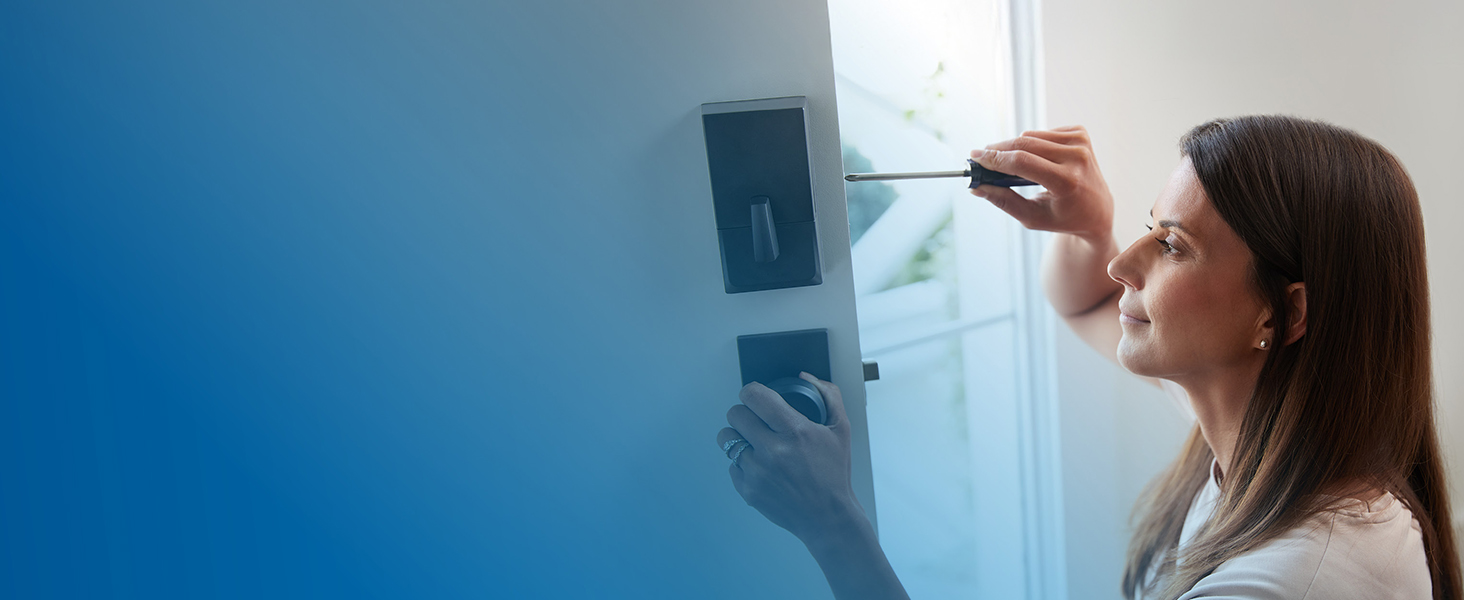
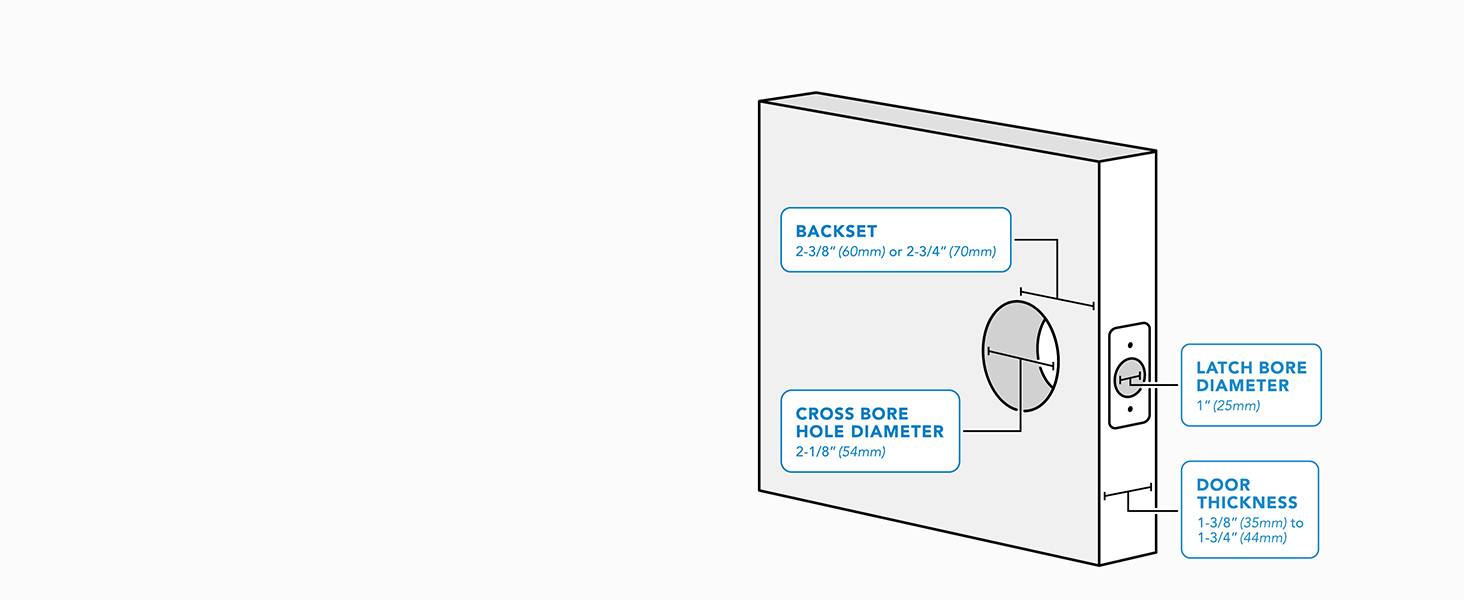
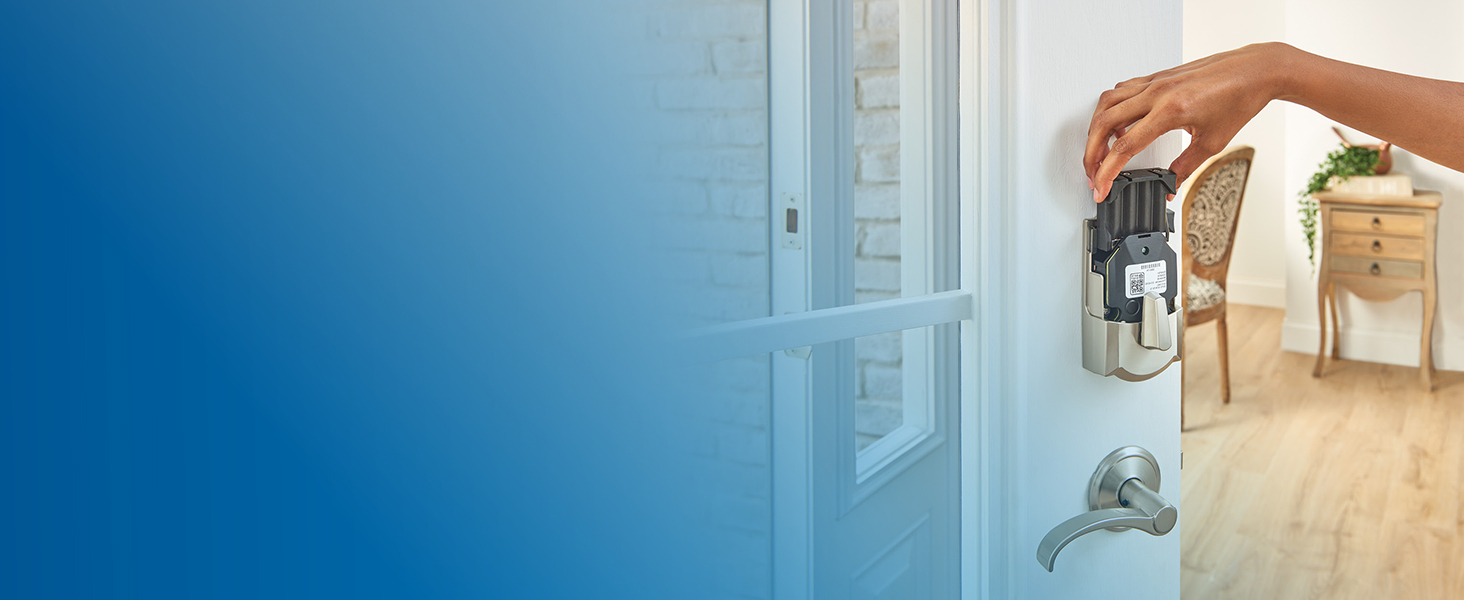
  • EASY INSTALL: Install in minutes with just a screwdriver, no hardwiring required; Snap ‘n Stay design helps keep the lock on the door so both hands are free; fits standard doors with 1-3/8 in to 1-3/4 in door thickness and 2-3/8 in or 2-3/4 in backset
  • Brand: SCHLAGE
  • Special Feature: Door Locks
  • Lock Type: Deadbolt
  • Item dimensions L x W x H: 0.9 x 3 x 5 inches
  • Material: Zinc
  • Brand Name: SCHLAGE
  • Recommended Uses For Product: Security
  • Number of Pieces: 1
  • Included Components: Installation Hardware, Installation Instructions
  • Model Number: BE499WBCAM622
  • UPC: 194555086722
  • Model Name: Encode Plus Camelot WiFi Deadbolt Smart Lock
  • Manufacturer Warranty Description: Backed by a limited lifetime mechanical and finish warranty, and a limited three-year electronics warranty. See Schlage warranty for full details. Warranty valid only on "Ships from and sold by Amazon or Buildcom" purchases.
  • Number of Items: 1
  • Manufacturer: Schlage
  • Unit Count: 1 Count
  • Item Type Name: Keyless Entry Touchscreen Door Lock
  • Manufacturer Part Number: BE499WBCAM622
  • Best Sellers Rank: #2,653 in Tools & Home Improvement; #10 in Deadbolts
  • ASIN: B0CC6QZZNF
  • Additional Features: Door Locks
  • Controller Type: Amazon Alexa, Apple HomeKit, Google Assistant
  • Control Method: Remote
  • Connectivity Protocol: Bluetooth, Wi-Fi
  • Style Name: Camelot
  • Color: Matte Black
  • Shape: Round
  • Material Type: Zinc
  • Finish Types: Matte Black
  • Item Dimensions: 0.9 x 3 x 5 inches
  • Item Weight: 3.21 pounds
  • Item Highlight: Keyless entry door lock with touchscreen, Apple watch unlock, Apple Home, Alexa & Airbnb compatible, Certified security
  • Front door of home with keyless entry door lock by Schlage Encode PlusWomen with hands full unlocking front door lock with her Apple WatchWoman easily installing smart keyless door lock with just a screwdriver
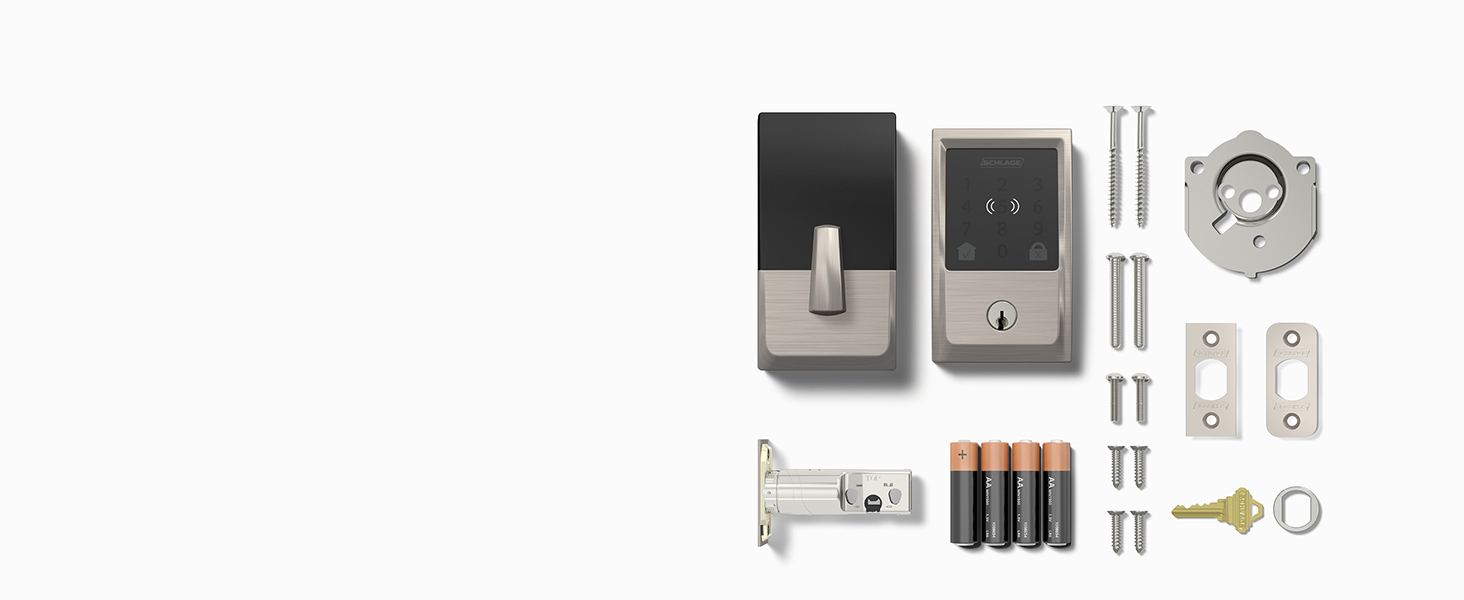
    Diagram of standard residential door to insure hassle-free fitWhat's included in the box with smart deadbolt lock, backup key, 4 aa batteries and hardwareComparison chart of Schlage Encode smart keyless entry door locks
    Schlage Encode smart deadbolt with built-in alarm detects forceful entry attempts.Woman easily replacing 4 AA batteries after being notified of low battery statusWoman locking front door with one touch lock with touchscreen keypad
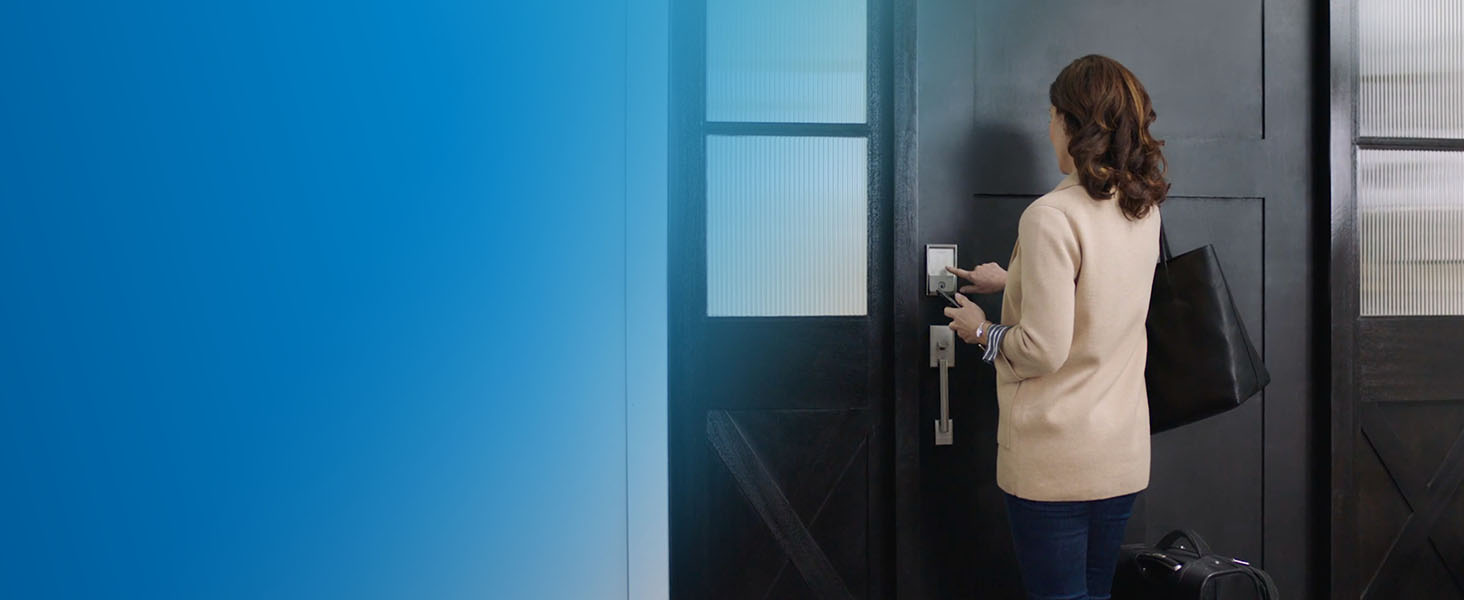
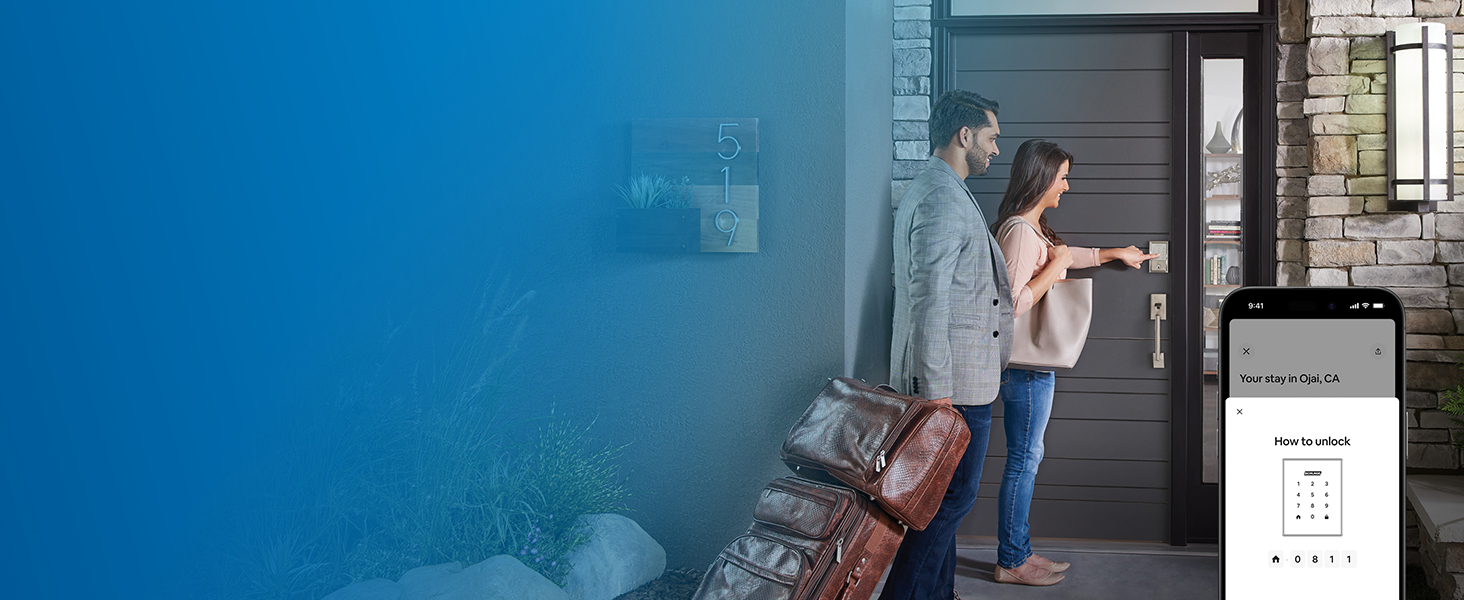
    Couple with luggage at rental accessing front door lock by entering code on touchscreen keypadChart explaining that product is graded best in Security, Durability, and Finish by BHMA

    Top reviews from the United States

    B
    bareyb
    ★★★★★

    Works well. Super easy to install. Great HomeKit features.

    Reviewed in the United States on May 26, 2026 · Color: Matte Black | Pattern Name: Camelot · Verified Purchase

    Got it installed and it's working well. Download the Schlage App first and it will give you step by video guidance on how to install it. Give it a day or two for Thread to start working if you are using it in HomeKit. You can check the status in the Eve App by the way. I'm using both the Schlage App (which users WiFi) and the HomeKit App (which uses Thread), but mainly because the Schlage App has easier Access Management tools and is needed for Firmware updates. If you can get by with HomeKit only the batteries will last a lot longer, but I'd rather have the convenience of both Apps. The HomeKit integration is my main App though. Love the "one touch" unlocking with my Apple Watch and being able to use Siri to operate it. It's really intuitive to use and my Wife and Kids clued in on it easily. You press the Home Icon on the keypad to bring up the display and then enter your code to unlock it, and you press the Lock Icon when you leave to lock it. You've probably used similar if you've ever stayed at an Air BnB. I love how it tells you who used what code (or if they used their phone or watch) and when too. It even pops up on my Apple TV 4k (which you need if you want Thread to work).

    There's a ton of features I don't use like auto lock because I can envision the cleaners leaving the door open and then closing it with the deadbolt open and marring the doorjamb. So you gotta think a lot of this stuff though. I mainly got it to get rid of having to carry the key and to get our Cleaners and Kids in when they come. It's also nice when I go for a walk. I'm tending to use the Front door more now that it's so easy.

    As smart locks go, this one looks great and is the smallest one I've seen that actually still looks like a lock. I bought the Schlage Camelot Door Handles that match it and they are super high quality. It latches SO smoothly. I guess I didn't realize there was much difference between name brand locks, but there are definitely levels to this game and Schage is a cut above.

    One thing to keep in mind. Strike plate alignment is critical on these. The bolt has to hit the hole without any obstruction. If you have any drag on the motor, it will fail prematurely. I ended up buying new oversized strike plates and redid them both just to give it plenty of room in case the house shifts a bit. That took longer to do than installing the lock did, but man it looks so professional now. The old Strike Plates were trashed. So well worth the effort. Time will tell on the reliability, but so far a week in and everything's working perfectly. I love having it. It's the gift that keeps on giving.

    13 people found this helpful

    W
    William D.
    ★★★★★

    Perfect in my HomeKit Household

    Reviewed in the United States on June 28, 2024 · Color: Satin Nickel | Pattern Name: Camelot · Verified Purchase

    Edit: 6 month update. Still working flawlessly. Not a single hiccup or connection problem. Both locks are still using the original batteries with 85% life remaining. Keep in mind that I have them configured using Thread only, not WiFi, and have never bothered installing the Schlage app since it is completely superfluous when you are using Apple HomeKit.

    Original Review: I purchased two of these (one black and one nickel) for my front and back doors. Installation was a breeze once I repaired the strike plate misalignment on my back door — it was always a difficult lock and this forced me to fix it. 😇 NOTE: don’t try to reuse the bolt from your old lock. It won’t work. It took me an hour to figure out why I was having a problem.

    For HomeKit, the Schlage app is not needed as long as you have a HomePod/HomePod Mini/Apple TV with Thread support. Once I installed the locks, all I had to do was press the set up button and hold my iPhone up against the inside part of the lock and then my iPhone walked me through the rest.

    Within an hour there was a firmware update that HomeKit notified me of and I installed it — again with no need to install the manufacturer’s app! Warning — after the firmware installation I had to remove both locks from HomeKit, reset them and do the setup again. A minor inconvenience that was easily accomplished in just a few minutes per lock. So, when you do a firmware update make sure you leave time to reset things.

    In addition to working seamlessly with HomeKit, my local hardware store was able to rekey them to match my existing Schlage locks for $15 each.

    In everyday use these things are very responsive. They unlock immediately using Apple Home Key from my iPhone or Apple Watch. Using the Apple Home App, they lock and unlock as soon as I press the button. Siri will NOT unlock without confirmation on your phone which is a great security feature. Other automations (turn on porch light when I unlock, lock all doors when I say “goodnight” etc) are flawless. However, you do need to confirm on your phone or watch for location based automations (lock when last person leaves). A reasonable feature to prevent security breaches or locking someone out by accident.

    Bonus feature — my cat is fascinated by it!

    26 people found this helpful

    W
    Will in Colorado
    ★☆☆☆☆

    Stops working, locking us outside

    Reviewed in the United States on October 14, 2026 · Color: Matte Black | Pattern Name: Camelot · Verified Purchase

    11 months of use and working great, and now it will freeze up (no lights) and very randomly reset, coming back online. It will be offline for a period of 30-60 minutes. Taking out the battery pack from the inside and reinstalling it restores functionality.

    I'm not even using the connectivity to Homekit (yet), just the passcode to get in. We've been locked out a few times and it's super random when it will happen. It won't even be on hot days, and it's in the shade. I only use Energizier lithium batteries and I tried swapping in new ones twice, as well as a different set of rechargeables, but it will happen regardless about once every 3 days.

    I haven't reached out to Schlage support yet, but for a lock to randomly stop working, I have to give it 1-star.

    One person found this helpful

    M
    Martin Dee
    ★★★★★

    Fantastic with Apple Home. Ok with Wifi

    Reviewed in the United States on January 15, 2025 · Color: Satin Nickel | Pattern Name: Camelot · Verified Purchase

    The "plus" version of this lock supports Matter and integrates into Apple Home. If you have have no interest in Apple Home do not get the plus version.

    Apple Home allows you to open the lock using an iPhone or Apple Watch. This works very well. Super convenient. It was easy to add the lock to Apple Home. After mounting the lock I connected it to Apple Home but pressing the button on the back of the lock and tapping my iPhone. Thats it! I did not need to connect the lock to WiFi first. Once you are set up you can invite members of the household (ensure they have the home app installed) or limited access for guests.

    If you want to connect this lock to WiFi, you need to know that this lock CANNOT connect to 5 Ghz WiFi. It requires 2.4 Ghz. Some WiFi systems do not let you turn off 5Ghz. If that is the case with you, you will not be able to connect the lock to WiFi.

    Another thing to know is that the lock code entry area with numbers is black on black. You can't see the numbers until you press something on the area. People often press a number to light up the area, then enter the code. This results in a wrong code being entered. I tell people to press the home button first, then enter the code. But many people don't follow those instructions. This is especially important for short term rentals.

    As an Apple Home user, I absolutely love this lock. While there are other locks that support Apple Home, I think this is the only one that supports the Thread protocol.

    17 people found this helpful

    T
    Trouble
    ★★★★★

    Awesome Deadbolts

    Reviewed in the United States on April 27, 2025 · Color: Satin Nickel | Pattern Name: Camelot · Verified Purchase

    I purchased several of these to replace other deadbolts of this type both smart and those with only a button code entry. These were beyond simple to install and even easier to get setup with HomeKit and a keypad code on my phone as well as family members, guests etc. I've only had them for a month or so at the time of writing this and they've worked flawlessly. The lock mechanism works quickly as does the status notification (locked / unlocked) and seems to be just as secure, if not more secure than those I previously had. I also like the fact that there is a key in case you'd prefer to give that to a guest, worker or if you get locked out somehow without the other options to get in.

    My only complaint is that unlike all of my other smart and keypad locks, you cannot simply touch the keypad anywhere so it illuminates allowing you to then punch in your code (unless your code starts with say 5 and you always touch it in the middle of the lock where it's almost natural to since it has the little (( NFC ))" icon). Otherwise, you'll continue to enter the incorrect code until you realize you need to touch the left [HOUSE] button, then it will illuminate, and you can enter your keypad code. Once you know this is how it works, it's not a big deal. We typically use our phone or watch to unlock the doors anyhow. I'm mentioning because, as luck would have it, only 2 days after installing these, a family member kept getting locked out for the "cool down" phase the lock goes into after too many incorrect attempts simply because they were touching it to get it to light up, then entering the code - not realizing the action of touching it was also entering the first number. Maybe there is a way to adjust the illumination feature, I've not really dug into it since we now know about it and rarely use the keypad anyhow.

    Otherwise I would recommend these deadbolt locks, they're priced great for what you get and in comparison to others out there and/or that I've previously owned. Should anything change, I'll update this review.

    17 people found this helpful

    D
    Dan Cohen
    ★★★★☆

    Quality lock with great fatures, though Home Key setup is buggy

    Reviewed in the United States on December 7, 2025 · Color: Satin Nickel | Pattern Name: Camelot · Verified Purchase

    I wanted a smart lock for my Mom who has lost some finger dexterity and has difficulty with keys. I was particularly interested in the Apple Home Key tap to unlock feature - which only the Enclode Plus from the Schlage smart lock family has.

    The mechanical install, as advertised, is very easy. All you need is a Philips screw driver and a ruler or tape measure though it goes more quickly with an electric screw driver Activating the lock with the Schlage Home app was straight forward as well. After the lock was connected to the home wifi via the Schlage home app we could easiily add access codes and connect it to Alexa, which allows you to check the status or lock the door by voice command. I like the fact that the lock has a "normal" Schlage deadbolt cylinder and key (can be rekeyed or copied just as with a non smart lock)

    The Home Key setup was another matter, this is rather buggy. You first need to setup the Apple Home app on your phone. Once that's done according to the Schlage instructions you can add the lock to the Apple home using the home app directly by pressing the pairing button and tapping the phone to the lock or scanning the QR code on the installation booklet. I tried this many times - but the phone would not detect the lock. Power on reset didn't help same result.

    The only way I was able to get the Home Key setup to work was removing the lock from the Schlage app (equivalent to a factory reset) and start the paring process over with one key difference: adding to Apple Home BEFORE adding the lock to the Schlage app. This worked! If this is a known issue Schlage aught to do a better job documenting this -- this lock has been out for many years time enough to get the kinks out.

    Tap to unlock is a very nice -- as you would expect you just need to tap the phone to the lock to unlock or lock it (without having to unlock your ohone) - but you give up a bit of security for that convenience, considering if your phone is stolen the thief could get into your home assuming they knew where it was. Home key works by adding a credential to your Apple wallet. I thought my Mom would be able to share Apply keys home key with a trusted guest or family, however this doesn't work unless you have an Apple Hub (that's an Apple limitation, not due to Schlage)

    Also battery life in our experience is about 3 months

    27 people found this helpful

    H
    Hershell
    ★★★★★

    Great Door Look with dependable functions.

    Reviewed in the United States on September 27, 2026 · Color: Aged Bronze | Pattern Name: Camelot · Verified Purchase

    The lock was easy to install and setup. I have seen this lock at several Airbnb and it works great. I also have several friends that commented they have the same lock and like it, one with a baby that is learning how to walk. She feels safer with this lock. I like the fact that if I have a handful of packages the lock will activate itself. Also the ability to make sure the door is locked when I am away from home. The price may seem high but in this case you get what you pay for.

    E
    Eliot Prescott
    ★★★☆☆

    Good lock, with some significant issues

    Reviewed in the United States on February 27, 2024 · Color: Satin Nickel | Pattern Name: Camelot · Verified Purchase

    Positives: Good lock. Schlage is a trusted brand. No-hub wifi is a plus (my previous Schlage Z-wave lock required a hub, and first Wink then SmartThings steadily reduced support, leaving the lock harder and harder to manage). Very easy installation. Schlage app works very well, for locking/unlocking, reporting status, and adding/deleting codes. Smaller indoor profile than earlier generations of Schlage smart deadbolts.

    Now for the Negatives, which aren't trivial: 1) If I lock the deadbolt with a key, then turn the key back to get it out of the lock, the deadbolt retracts again most of the way. The app registers the lock as open, and with only a bit of the deadbolt extended the lock is less secure. I called a locksmith to fix it. He lubricated and fiddled with everything, but the deadbolt remained "sticky" (his word) and partially retracted every time he tried to lock it with a key. He even tried replacing the cylinder, but that didn't help, so the problem was elsewhere in the lock mechanism. 2) After one week of use, the batteries have gone from 100% to 85%. That doesn't bode well for getting six months from a set of batteries. 3) Be aware that if you plan to use the Bluetooth capability to allow unlocking just by tapping with your iPhone, this capability works only with a single iPhone unless you buy a separate Apple Homepod or other Apple Homekit device to set up an Apple home network. Otherwise the Apple connection can only be enabled on a single iPhone/account and won't work for your whole family. So count on spending another $100 on an Apple hub to make this feature work.

    The faulty deadbolt retraction is the biggest issue. But now that the log is installed and synced to my Schlage app and Apple Homekit, it would be a real hassle to return it. Not to mention that I'd have no lock during the return process. So I'll just be living with a semi-functional, semi-defective lock. Bummer. Because it should work, and Schlage locks (dumb and smart) have always worked for me in the past.

    43 people found this helpful

    Handpicked Quality

    Curated top products

    Best Prices

    Everyday low prices

    Trusted Reviews

    Loved by customers

    Secure Shopping

    Safe & reliable

    24/7 Support

    We're here to help